Christmas video messages from Santa
A video message from Santa, made for your child
Tell Santa your child’s name, age and what they love. Read every word he will say and hear him read it to you, free. Then get a video of about two minutes to watch together on a phone or the family TV.
- Hear Santa free before you pay
- About 2 minutes, full HD
- Plays on a phone or the TV
$19.79, one payment
This video can’t play right now. Please try again in a minute.
- Step 1: Tell Santa
- Step 2: Read the script
- Step 3: Hear Santa
- Step 4: Order
Tell Santa about your child
Santa puts these words into his script. Write numbers as words, and use first names only.
Read Santa’s script
This is every word Santa will say, in 15 scenes. You can change the lines marked About your child, as long as each fits Santa’s 8 seconds (17 words). The other lines are the same in every video.
-
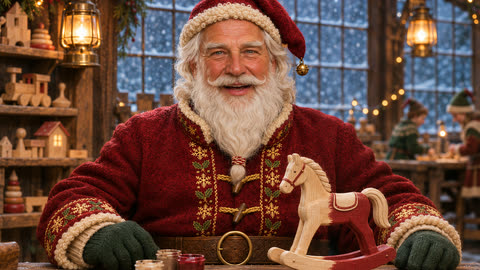
Scene 1 · Workshop workbench
Ho ho ho! Hello there, and welcome to my workshop at the North Pole!
-
Scene 2 · Workshop workbench About your child
-
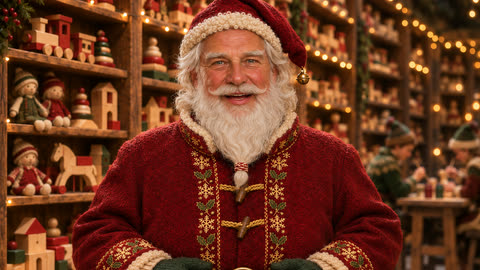
Scene 3 · Toy shelves
So many busy elves! They are making toys, toys, and more toys for Christmas Eve!
-
Scene 4 · Toy shelves About your child
-
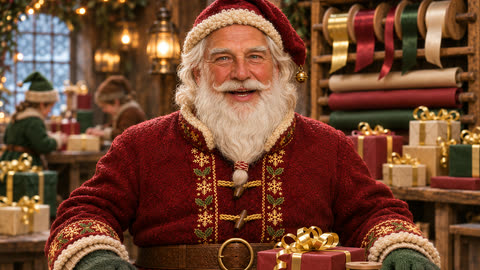
Scene 5 · Wrapping room
In this room, the elves wrap surprises in shiny paper with long, curly ribbons.
-
Scene 6 · Wrapping room
Sometimes the elves use so much tape, they wrap themselves up by mistake!
-
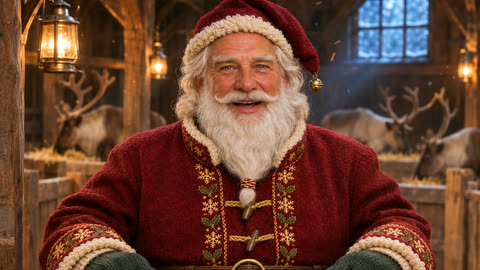
Scene 7 · Reindeer stable
Meet my reindeer! They are resting up for their long flight on Christmas Eve.
-
Scene 8 · Reindeer stable About your child
-
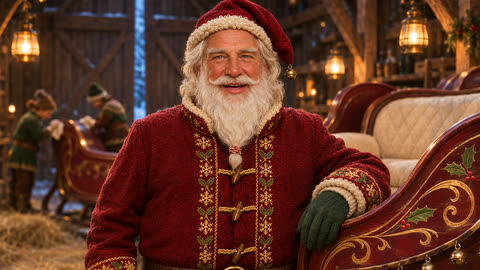
Scene 9 · Sleigh shed
Here is my sleigh! The elves check every bell and every buckle, one by one.
-
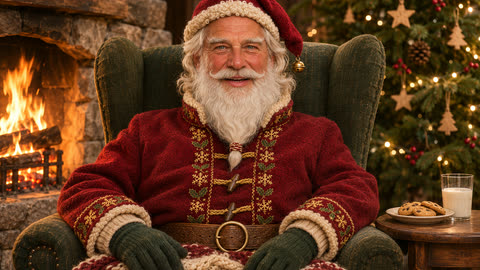
Scene 10 · By the fire
It feels so good to sit by the warm fire. Now, here is my favorite part.
-
Scene 11 · By the fire About your child
-
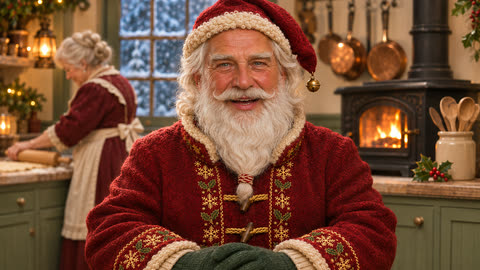
Scene 12 · Mrs. Claus's kitchen
Mrs. Claus is baking cookies, and she is so happy you made my nice list!
-
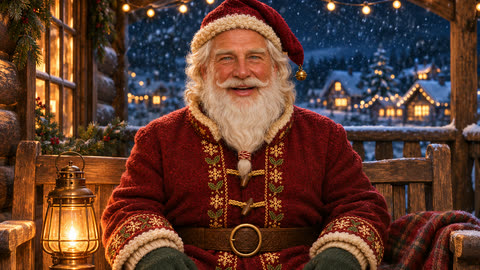
Scene 13 · Workshop porch
Out here, the snow falls soft and slow, and the village lights twinkle.
-
Scene 14 · Workshop porch About your child
-
Scene 15 · Sleigh shed
Ho ho ho! Merry Christmas! The elves need me back at work. Goodbye for now!
Hear Santa read your script
Scene 1 · Workshop workbench
Ho ho ho! Hello there, and welcome to my workshop at the North Pole!
The preview is Santa reading your script. In the video, Santa’s voice is made together with the picture, so it can sound a little different.
Order your Santa video
$19.79, one payment
- A video of about 2 minutes in full HD, with 15 scenes in Santa’s workshop
- Five scenes made for your child: their name, what they love, what made you proud, who it is from and their pet
- Usually made in a few minutes, on your own private video page
- Download the video file to keep and share it; the page stays open for 30 days
- A remake or a full refund if Santa says a name wrong or a scene comes out broken
Santa’s voice preview is fully booked right now. You can still read every word and order; the video is made the same way.
You changed the script after Santa’s last reading. Press Record again first, so the video is made from your new version.
Free video pass
This link carries a free pass: your Santa video is on us.
Did you already pay for this video?
You started a payment for this script before. If it went through, your video is waiting for you: find it first, so you are never charged twice.
One-time payment · tax included · Sold through Link, Stripe's reseller
The Santa video is sold through Link, Stripe's reseller, which is the merchant of record: Link takes the payment, sends the receipt and handles the sales tax or VAT, which is already included in the price. The charge appears on your card statement as LINK.COM* DELJAN BREGASI.
After paying you go straight to your video page, where the video is made while you wait. Refunds and remakes
See a whole Santa video
This is a full example, made the same way as yours: Santa’s video for a little girl called Emma, about two minutes long. Watch it with the sound on to hear Santa say her name.
This video can’t play right now. Please try again in a minute.
How it works
Four short steps on this page, and you see and hear everything before you pay.
-
Step 1: Tell Santa about your child
Their first name, their age, something they love and something that made you proud this year. If you like, add who the video is from and a pet’s name.
-
Step 2: Read the script
See every word Santa will say, scene by scene. You can change any of the five lines that are about your child.
-
Step 3: Hear Santa read it, free
Santa reads the whole script to you before you pay, so you know what your child will hear.
-
Step 4: Order, then watch
$19.79, one payment. Your video is usually made in a few minutes on the next page, ready to watch, download and share.
The five scenes about your child
The video has 15 scenes in Santa’s workshop. Ten are the same in every video, and five are made for your child. Here is what Santa says in those five for Emma, who is five, loves the park, learned to swim this year and has a cat called Bronx. You can change each of these lines in the script step, as long as it fits Santa’s 8 seconds, about 17 words.
-
Scene 2 · Workshop workbench
“Emma, this message is just for you. Come see what my elves are up to!”
Santa greets your child by name.
-
Scene 4 · Toy shelves
“A little bird told me you love the park!”
What your child loves.
-
Scene 8 · Reindeer stable
“I told my reindeer about your cat Bronx. They send a friendly hello from the stable!”
Your pet, or a hello from the reindeer when you leave it empty.
-
Scene 11 · By the fire
“I heard you learned to swim! What a year to be five!”
What made you proud, and their age.
-
Scene 14 · Workshop porch
“Emma, Nonna wanted you to know: you are loved more than all the snow!”
Who the video is from. Left empty, Santa says it himself.
What you get
$19.79, one payment
- A video of about 2 minutes in full HD, with 15 scenes in Santa’s workshop
- Five scenes made for your child: their name, what they love, what made you proud, who it is from and their pet
- Usually made in a few minutes, on your own private video page
- Download the video file to keep and share it; the page stays open for 30 days
- A remake or a full refund if Santa says a name wrong or a scene comes out broken
The preview is Santa reading your script. In the video, Santa’s voice is made together with the picture, so it can sound a little different.
The Santa video is sold through Link, Stripe's reseller, which is the merchant of record: Link takes the payment, sends the receipt and handles the sales tax or VAT, which is already included in the price. The charge appears on your card statement as LINK.COM* DELJAN BREGASI.
Questions about the Santa video
What is in the Santa video?
About two minutes of Santa in his workshop at the North Pole. He welcomes your child, shows the busy elves, the wrapping room, his reindeer and his sleigh, then sits by the fire to talk about your child and says a cozy goodbye on the porch. Five of the fifteen scenes are made for your child: Santa says their name, what they love, what made you proud this year, who the video is from and the name of their pet.
Is it really Santa?
It is a computer animation. Santa, his workshop and his voice in the video are made by Google’s Veo video model from our own scene pictures and the script you read and approve, and the free preview uses a Google text-to-speech Santa voice. Nothing is filmed, and no real person’s face or voice is copied.
Why can Santa sound a little different in the video?
The preview is Santa reading your script. In the video, Santa’s voice is made together with the picture, so it can sound a little different. Santa reads your script in the video too, and each scene made for your child is checked before the video is delivered. If a word or the name still comes out wrong, you can have that scene remade or a full refund, as the answer below explains.
Can I change what Santa says?
Yes, the five lines that are about your child. Each one has to fit Santa’s 8 seconds, which is about 17 words, and a counter under each line tells you when it fits. The other ten lines are the same in every video, because those scenes are already made, so they cannot be changed.
What happens to my child’s details?
They are used only to write the script and make the video. They go to our server and to Google’s voice and video models to make the recording and the video, and they never appear in our visitor counts. A script you do not order is deleted 30 days after Santa last read it, and a finished video 30 days after it is ready. The privacy page explains the details.
How long can we watch it, and on what?
Your video page stays open for 30 days. Download the video file to keep it for good: it is an ordinary MP4 in full HD that plays on phones, tablets, computers and smart TVs, and you can send it by WhatsApp or e-mail like any other video, or cast it from your phone to the TV.
What if Santa gets the name wrong?
We put it right. If Santa says a name wrong or a scene comes out broken, write to hello@greetalkcards.com with your video link while the video page is open. We make that scene again at no cost, or refund you in full if you prefer.
How do I pay?
The Santa video is $19.79, one payment, with tax included and no subscription. The checkout is run by Link, Stripe’s reseller, which takes the payment and sends your receipt. After paying you go straight to your video page, where the video is made while you wait, usually in a few minutes. The refund policy explains remakes and refunds.
Can I make one video for two children?
Each video is made for one child, so that Santa can say their name and talk about the things they love. For brothers and sisters, make one video for each child; you can reuse the same answers for who it is from and the family pet.
Want to send a spoken greeting instead? The voice greeting maker is free, and Santa Claus can read a greeting there too, 3 times a day. The privacy page explains what is kept and for how long.